
Hosting your own website can be a rewarding endeavor, providing you with full control over your online presence. While it requires some technical knowledge, patience, and resources, hosting your website allows you to customize every aspect to your How Can I Host My Own Web Site?
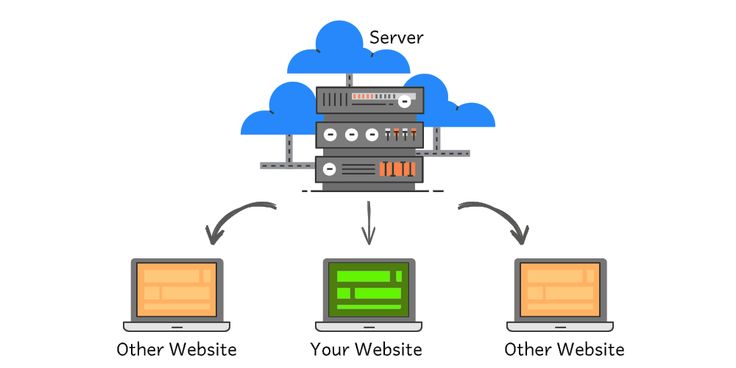
If you want to host my own web site, you need the right hosting setup, server resources, and technical knowledge. Website hosting allows your website files to stay on a server and remain accessible through the internet. You can host a website from your own computer or use a remote hosting server.
However, each option has different requirements. In this guide, we explain the main steps involved in hosting your own website and the factors you should consider before getting started.
What Does It Mean to Host My Own Web Site?
To host my own web site means managing the server that stores and delivers your website files. Your server needs to connect to the internet so visitors can access your website.
When someone enters your domain name, their browser connects to the server that hosts your website. The server then sends the required files to the browser.
Therefore, website hosting requires more than simply creating web pages. You also need a suitable server, internet connection, security measures, and regular maintenance.
Choose Your Hosting Setup
First, decide where you want to host your website. You have two main options.
Hosting a Website at Home
You can host a website on your own computer at home. This option gives you direct control over your server and website files.
However, your computer needs to remain connected to the internet. It also needs to stay powered on so visitors can access your website.
You may also need to configure your router, firewall, network settings, and server software. Therefore, home hosting usually requires more technical knowledge.
Using a Remote Server
Alternatively, you can rent a remote server from a hosting provider. Depending on your requirements, you can choose shared hosting, a Virtual Private Server (VPS), or a dedicated server.
A remote server can provide better reliability and easier management. In addition, the hosting provider usually maintains the physical server and network infrastructure.
For businesses, professional hosting can reduce the technical work involved in maintaining a website.
Choose Your Web Server Software
Next, choose suitable server software. Web server software receives requests from visitors and delivers website files to their browsers.
Popular options include:
- Apache
- Nginx
- LiteSpeed
Each option has different features and configuration requirements. Therefore, research the software before making your choice.
If you use a managed hosting service, the provider may configure the server software for you. This can make website management easier, especially for beginners.
Register a Domain Name
A domain name gives your website a unique address on the internet. Choose a domain that reflects your business, organization, or website content.
For example, a Kenyan business may choose a .co.ke domain to establish a local online identity.
After choosing your domain, register it through a domain registrar. You will then need to connect the domain to your hosting server.
Connect Your Domain to Your Server
Once you have a domain and hosting server, connect the two using your DNS settings.
The DNS system helps browsers find the server that hosts your website. You normally configure records such as an A record to point your domain to the correct IP address.
This step requires careful configuration. Incorrect DNS settings can prevent visitors from reaching your website.
Upload Your Website Files
After setting up your server, upload your website files. These files may include HTML, CSS, JavaScript, images, videos, and other resources.
You can upload files using tools such as FTP or a hosting control panel. You can also use a version control system when working on more advanced projects.
Once the files reach the server, test your website through your domain name. Check your pages, images, links, forms, and other important features.
Secure Your Website
Security should remain a priority when you host my own web site. Your server can face security threats if you do not maintain it properly.
First, use strong passwords for your server and administrator accounts. Next, keep your operating system and server software updated.
You should also use an SSL certificate to enable HTTPS. Furthermore, create regular backups so you can restore your website after a technical problem or data loss.
For more information about protecting websites and online systems, visit the Communications Authority of Kenya.
Monitor and Maintain Your Server
Hosting your own website requires ongoing maintenance. You should monitor server performance and check for security problems regularly.
In addition, review your website backups and update your software when necessary. Monitor your storage and server resources as your website grows.
Regular maintenance can help you identify problems before they affect visitors.
Is Hosting Your Own Website Right for You?
Hosting your own website can give you greater control over your server environment. However, it also requires technical knowledge and ongoing maintenance.
Home hosting may work for learning, testing, or personal projects. On the other hand, businesses often need reliable infrastructure and professional support.
Therefore, consider your technical skills, budget, website traffic, security needs, and maintenance requirements before choosing your hosting method.
Get Professional Web Hosting Support from Softlink Options
At Softlink Options, we help businesses establish and manage their online presence.
Our services include web hosting, website design, SEO, and other digital solutions. We can help you choose a hosting solution that matches your website requirements.
Instead of spending your time managing complex server configurations, you can focus on running your business while our team helps with your website needs.
If you are planning to launch a website or need a reliable hosting solution, contact Softlink Options today.
Conclusion
Learning how to host my own web site can help you understand how websites work behind the scenes. You need a server, a domain name, suitable software, an internet connection, and proper security measures.
You can host a website from home or use a remote hosting provider. However, each option has different costs, technical requirements, and maintenance needs.
Before making your decision, consider your website’s purpose and your technical experience. If you need professional assistance, Softlink Options can help you choose and manage a suitable web hosting solution.