
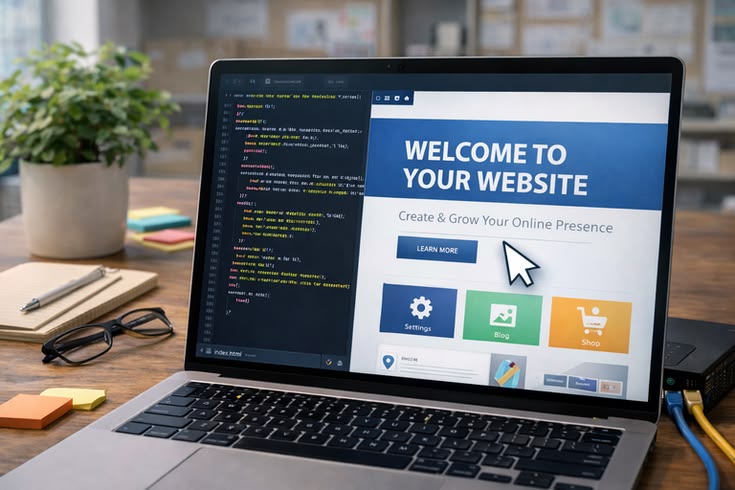
How to Install WordPress: A Complete Guide for Beginners in Kenya
WordPress powers millions of websites around the world. Businesses, bloggers, schools, organizations, and online stores use it to build their digital presence. However, beginners may find the installation process confusing at first.
Fortunately, installing WordPress does not have to be difficult. With the right hosting plan and a few simple steps, you can get your website online quickly. In this guide, Softlink Options explains how to install WordPress and prepare your website for success.
What Is WordPress?
WordPress is a content management system (CMS) that helps you create and manage websites. It allows you to publish pages, blog posts, images, and other content without advanced coding skills.
Furthermore, WordPress offers thousands of themes and plugins. Themes control your website’s appearance, while plugins add useful features. As a result, businesses can create websites that match their needs and goals.
What You Need Before Installing WordPress
Before you install WordPress, prepare a few important things.
1. A Domain Name
Your domain name is your website’s online address. For example, a Kenyan business may choose a .co.ke domain to establish a local online identity.
Choose a domain that reflects your business name or services. Also, keep it short and easy to remember.
2. Reliable Web Hosting
You also need web hosting to store your website files and database. A reliable hosting provider can help your website remain accessible to visitors.
In addition, look for hosting that offers good performance, security features, backups, and customer support.
3. WordPress Hosting Requirements
Your hosting environment should support the technologies required by your WordPress installation. You should also check that your hosting provider supports a current version of PHP and a compatible database system.
Therefore, always confirm the hosting requirements before starting the installation.
How to Install WordPress
You can install WordPress in several ways. The easiest option for beginners is usually an automatic installation through the hosting control panel.
Step 1: Log In to Your Hosting Account
First, log in to your web hosting account. Depending on your hosting provider, you may use a control panel such as cPanel or another hosting management system.
Look for an option such as WordPress Manager, WordPress Toolkit, or Softaculous Apps Installer.
Step 2: Select WordPress
Next, open the WordPress installation tool. Select WordPress from the available applications.
Then, click the installation option and choose the domain where you want to install your website.
Step 3: Enter Your Website Details
After selecting your domain, enter your website information.
You may need to provide:
- Website name
- Website description
- Administrator username
- Administrator password
- Administrator email address
Choose a strong administrator password. In addition, avoid using simple passwords that others can easily guess.
Step 4: Choose Your Installation Settings
The installation tool may allow you to select additional settings. Depending on your hosting provider, you may also choose the WordPress version and database options.
Review the settings carefully before continuing. Then, click Install.
Step 5: Wait for the Installation
The installer will create the necessary WordPress files and database. The process usually takes only a few minutes.
Once the installation finishes, you should receive a confirmation message. You will also receive the URL for your website and the WordPress administrator login page.
How to Access Your WordPress Dashboard
After installation, open your WordPress login page. In many installations, you can access it by adding /wp-admin to your website address.
Enter the administrator username and password you created during installation.
Once you log in, WordPress will display the dashboard. From there, you can create pages, publish blog posts, install plugins, customize your theme, and manage your website.
What to Do After Installing WordPress
Installing WordPress is only the beginning. You should complete several important tasks before launching your website.
Choose a Professional Theme
First, select a theme that matches your business or organization. A good theme should provide a clean design and work well on mobile devices.
Install Essential Plugins
Next, install plugins that provide useful features. For example, you may need plugins for SEO, security, backups, forms, performance, or website analytics.
However, avoid installing unnecessary plugins. Too many plugins can make website management more difficult.
Create Important Pages
Your website should contain the pages visitors need most. These may include:
- Home
- About Us
- Services
- Contact
- Blog
- Privacy Policy
For an online store, you may also need product, cart, checkout, and account pages.
Secure Your Website
Website security should remain a priority after installation. Use a strong administrator password and keep WordPress, themes, and plugins updated.
Furthermore, create regular backups. A backup can help you restore your website if you experience a technical problem or data loss.
Optimize Your Website for Search Engines
Finally, prepare your website for search engines. Add useful page titles, descriptions, headings, and relevant keywords.
In addition, create helpful content that answers questions your customers commonly ask. A well-structured website can make it easier for visitors and search engines to understand your business.
Common WordPress Installation Problems
Although WordPress installation is usually straightforward, beginners can sometimes encounter problems.
For example, incorrect hosting settings can prevent the installation from working correctly. Database configuration errors can also cause problems.
Similarly, an incorrect domain setup can prevent visitors from accessing the website. Therefore, check your domain, hosting, database, and installation settings carefully.
If you are unsure how to solve a technical problem, professional WordPress support can save you time and prevent further issues.
Why Choose Softlink Options for WordPress Services?
At Softlink Options, we help businesses establish and manage professional websites using WordPress.
Our services can support businesses that need a new website, website improvements, hosting, SEO, and other digital solutions. Furthermore, we can help you choose suitable website solutions based on your business requirements.
Instead of struggling with technical installation issues, you can work with a team that understands business websites and digital marketing.
Conclusion
WordPress provides a flexible way to build and manage a professional website. Although beginners may find the installation process challenging, the right hosting environment can make the process much easier.
First, choose a suitable domain and reliable hosting. Next, install WordPress through your hosting control panel. Then, secure your website, create important pages, install essential plugins, and prepare your content.
Most importantly, continue updating and maintaining your website after installation.
If you need help with WordPress installation, website design, hosting, or website management, contact Softlink Options today. Our team can help you build a professional online presence for your business.